
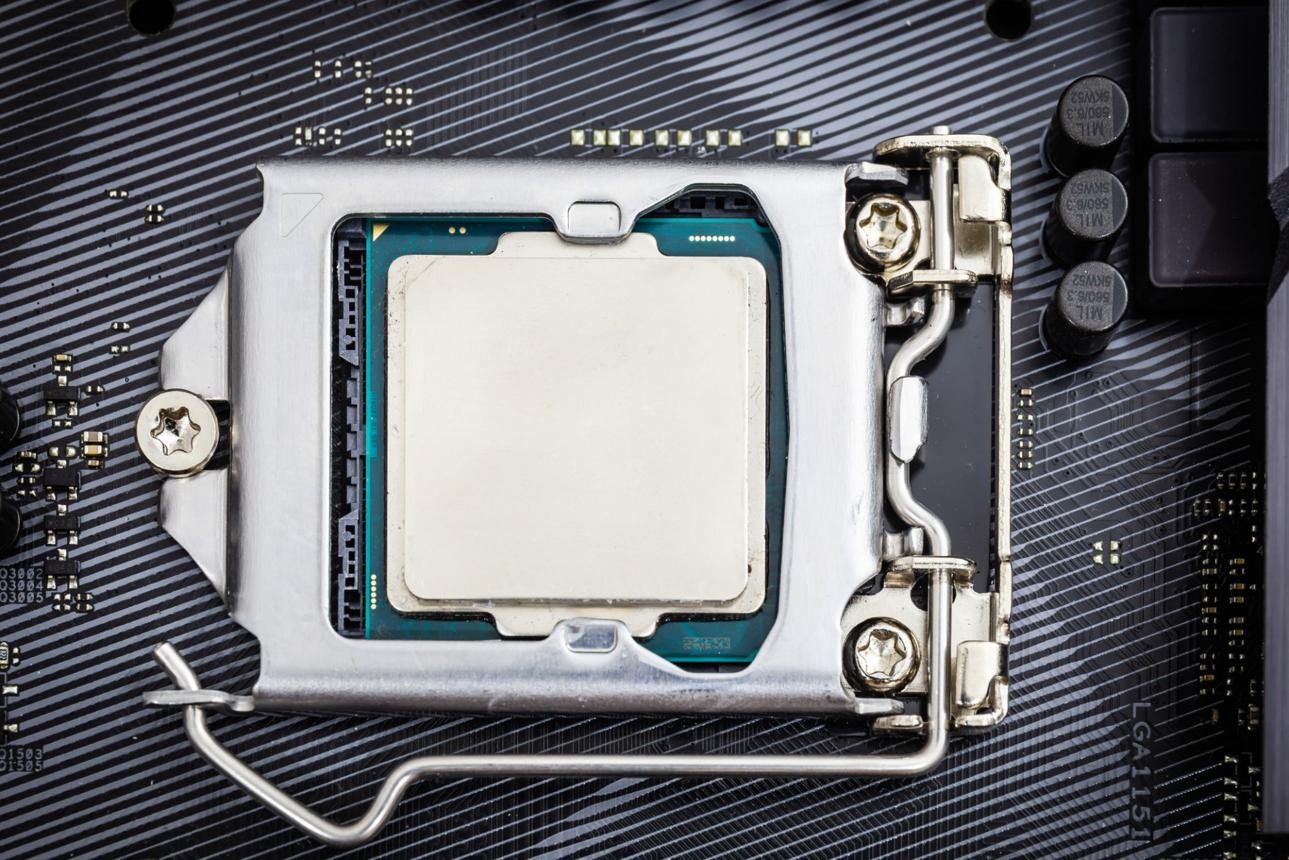

What Is the Brain of Any Computer System? Understanding the CPU
When you use a computer to open an application, browse the internet, edit a document, or play a game, several hardware components work together to complete the task. But what is the brain of any computer system, and which component plays the central role in processing instructions and coordinating computer operations?
The answer is the Central Processing Unit (CPU). Often called the computer’s processor, the CPU executes program instructions, performs calculations, and coordinates activities with memory and other hardware components. Without a working CPU, a computer cannot perform its normal computing tasks.
Understanding what the CPU does makes it easier to learn how computers work, identify performance problems, and choose hardware that suits your needs.
What Is the Brain of Any Computer System?
The Central Processing Unit (CPU) is the main processing component of a computer. It reads and executes instructions from software, performs arithmetic and logical operations, and helps manage the flow of information between different parts of the system.
Think of the CPU as a manager in a busy workplace. It receives instructions, works out what needs to happen, performs or coordinates the required operations, and helps deliver the result.
For example, when you open a calculator app and enter 25 + 15, the CPU processes the instructions and performs the calculation. The result, 40, is then displayed on your screen.
The CPU is found in desktop computers, laptops, tablets, smartphones, and servers. Its exact design and capabilities vary, but its central purpose remains the same: processing instructions and helping the device operate.
Why Is the CPU the Brain of Any Computer System?
The CPU is compared to the human brain because it plays a central role in controlling and processing activities. The comparison is useful, although a computer processor does not think or understand information like a human.
Here are the main reasons the CPU is known as the brain of a computer:
- Processes instructions: It executes commands provided by software and the operating system.
- Performs calculations: It handles mathematical operations and logical comparisons.
- Coordinates tasks: It works with memory and other hardware to keep computer operations running.
- Supports applications: It processes the instructions needed to run browsers, office software, games, and other programs.
- Manages processing activity: It handles instructions and responds to events that require the computer’s attention.
In simple terms, the CPU helps turn software instructions into actions that a computer can perform.
What Are the Main Components of a CPU?
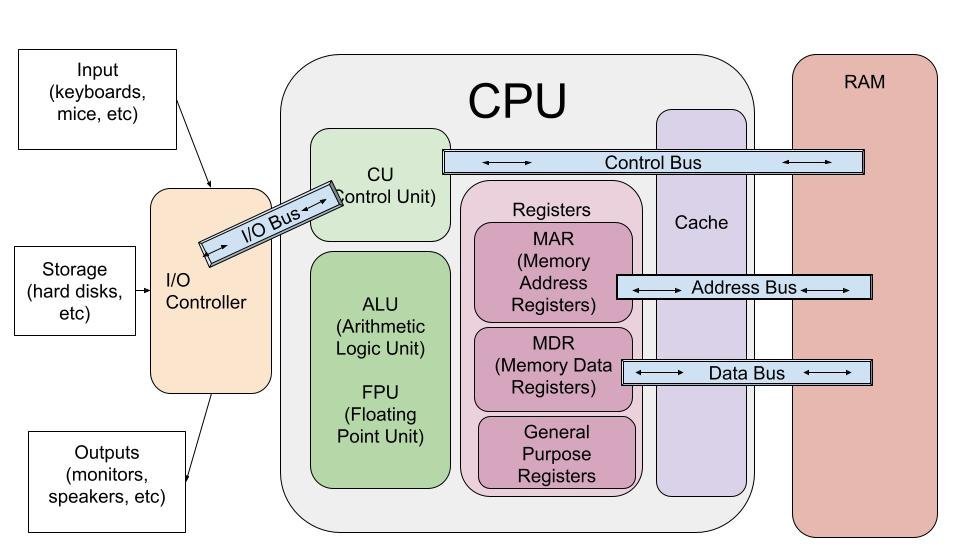
A CPU contains several important internal components. Each has a specific responsibility, and they work together to execute instructions.
1. Control Unit (CU)
The Control Unit directs the CPU’s instruction-processing activities. It retrieves and interprets instructions and sends control signals to the relevant parts of the processor.
For example, when software requests a calculation, the control unit helps determine which operation needs to be performed and directs the appropriate CPU components.
To understand what is the brain of any computer system, it helps to look at the CPU’s internal components and how they work together to process instructions.
2. Arithmetic Logic Unit (ALU)
The Arithmetic Logic Unit performs mathematical and logical operations.
Its work includes:
- Addition, subtraction, multiplication, and division.
- Comparing values.
- Performing logical operations such as AND, OR, and NOT.
When you calculate a total in a spreadsheet or compare values in a program, the ALU performs the relevant operations as part of the CPU’s processing work.
3. Registers
Registers are very small, high-speed storage locations inside the CPU. They temporarily hold data, instructions, and addresses that the processor needs immediately.
Because registers are located within the processor, they allow the CPU to access working information quickly.
4. Cache Memory
CPU cache is a small, high-speed memory area located on or very close to the processor. It keeps frequently needed instructions and data available so the CPU can retrieve them faster than it could from main memory in many situations.
Modern processors may use multiple cache levels, commonly called L1, L2, and L3.
How Does the Brain of Any Computer System (CPU) Work?
A CPU works by repeatedly processing instructions through a cycle commonly described as fetch, decode, and execute. The result may then be stored or passed to another component.
Here is how the process works:
Step 1: Fetch
The CPU retrieves the next instruction and the required data from memory. The instruction tells the processor what operation needs to be performed.
Step 2: Decode
The CPU interprets the instruction to determine what it means and which operation or resources are required.
Step 3: Execute
The processor performs the requested operation. This may involve a calculation, a comparison, moving data, or another task.
Step 4: Store or deliver the result
The result may be placed in a register or memory, or passed to another component so the computer can use or display it.
The processor repeats this process as it runs software. Modern CPUs also use advanced techniques such as pipelining and multiple cores to handle work more efficiently.
How Does the CPU Work With RAM and Other Computer Components?
The CPU does not work alone. It depends on other hardware components to receive instructions, access data, and deliver results.
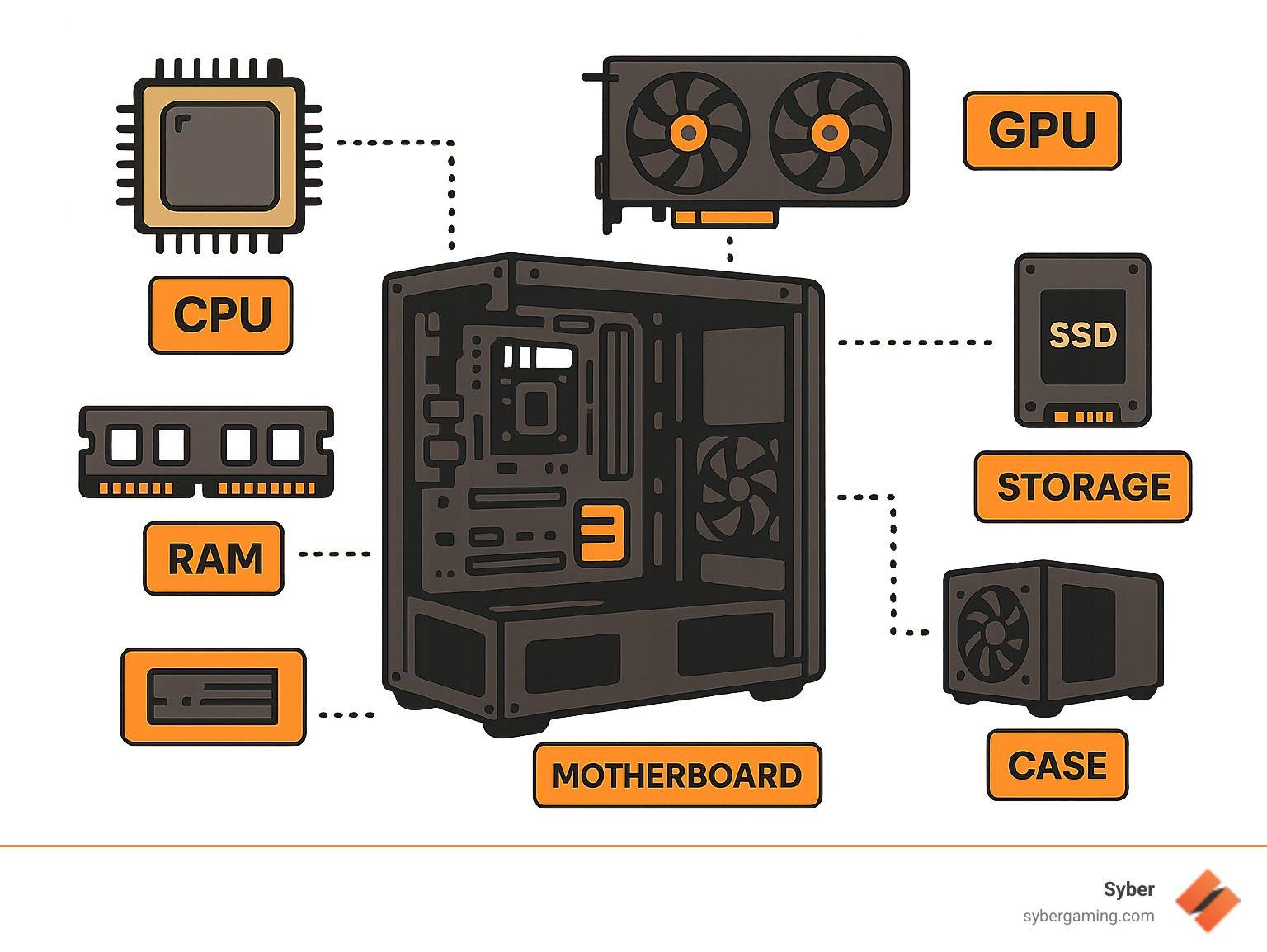
CPU and RAM: RAM temporarily holds the programs and data currently being used. The CPU accesses this information while processing instructions. More RAM can help a system handle more active applications, but RAM does not replace the CPU.
CPU and storage: A hard disk drive (HDD) or solid-state drive (SSD) stores files, applications, and the operating system for long-term use. When a program is opened, its required data is loaded into memory so the CPU can process its instructions.
CPU and motherboard: The motherboard connects the processor to memory, storage, and other hardware. It provides the pathways that allow these components to communicate.
CPU and GPU: The Graphics Processing Unit (GPU) is designed to handle graphics and highly parallel workloads. The CPU handles general-purpose instructions and coordinates tasks, while the GPU is especially useful for graphics rendering, video work, and other supported parallel operations.
How Does the Brain of Any Computer System Differ From RAM and Storage?
People sometimes confuse the CPU with RAM or a hard drive because all three are essential to computer performance. However, they perform different jobs.
| Component | Main purpose | Simple comparison |
| CPU | Processes instructions and calculations | The brain or worker |
| RAM | Temporarily holds active data and programs | The short-term workspace |
| HDD or SSD | Stores files and software long term | The filing cabinet |
| GPU | Processes graphics and parallel workloads | The graphics specialist |
| Motherboard | Connects hardware components | The communication platform |
A computer needs these components to work together. A fast processor cannot compensate for every storage or memory limitation, and installing more RAM does not automatically make every CPU-bound task faster. Although the CPU is known as the brain of any computer system, it relies on RAM, storage, and other hardware components to complete computing tasks efficiently.
What Happens When a CPU Is Slow or Not Working Properly?
A CPU that is overloaded, overheating, or malfunctioning can affect the overall performance of a computer. However, slow performance does not always mean the processor is faulty. RAM limitations, storage problems, background applications, and software issues can also be responsible.
Common symptoms include:
- Applications taking too long to respond.
- High CPU usage even when few programs are open.
- Unexpected system slowdowns.
- Computer freezes during demanding tasks.
- Excessive heat or loud cooling fan activity.
How Can You Improve CPU Performance?
Try these practical steps before replacing hardware:
- Check CPU usage: Open Task Manager on Windows or Activity Monitor on macOS to identify applications using too much processing power.
- Close unnecessary programs: Shut down applications and browser tabs you are not using.
- Restart your computer: A restart can clear temporary issues and stop stuck processes.
- Check ventilation: Keep air vents clear and make sure the cooling system is working properly.
- Update software: Install trusted operating system and driver updates when appropriate.
- Scan for malware: Use reputable security software if you suspect malicious programs are consuming system resources.
If the computer continues to overheat, shut down unexpectedly, or perform poorly, consider having its hardware checked by a qualified technician.
What Is the Difference Between a CPU and a GPU?
The CPU and GPU are both processors, but they are designed for different types of work.
A CPU is built for general-purpose processing. It handles a wide variety of instructions and coordinates many of the computer’s operations.
A GPU is designed to perform many similar calculations in parallel. This makes it useful for graphics, video processing, 3D rendering, and certain scientific or AI workloads.
Most computers benefit from both components. The CPU manages general computing tasks, while the GPU handles graphics and other workloads suited to parallel processing.
Does Every Computer Have a CPU?
Yes. Every general-purpose computer needs a processing unit to execute instructions. Desktop computers and laptops commonly use processors from manufacturers such as Intel and AMD. Smartphones and many tablets use system-on-chip designs that integrate CPU cores with other components.
The processor’s architecture and performance vary depending on the device, but instruction processing remains essential to computing.
Common Questions About the Brain of a Computer System
What is the brain of any computer system?
The Central Processing Unit (CPU) is the brain of any computer system. It executes instructions, performs calculations, and coordinates processing activities with other hardware components.
Is the CPU the same as the processor?
Yes. CPU stands for Central Processing Unit, and it is commonly called the processor. The terms are generally used interchangeably when discussing a computer’s main processing unit.
Why is the CPU important?
The CPU is important because it executes software instructions and performs the processing needed for a computer to run applications, manage data, and complete tasks.
What are the three main parts of a CPU?
The three commonly taught core parts are the Control Unit (CU), Arithmetic Logic Unit (ALU), and registers. Modern CPUs also include cache and other specialized components.
Is RAM the brain of a computer?
No. The CPU is commonly called the brain of a computer. RAM is temporary working memory that holds data and instructions currently in use.
Is the hard drive the brain of a computer?
No. A hard drive or SSD stores files, applications, and other data. The CPU processes instructions and performs computing operations.
Can a computer work without a CPU?
A general-purpose computer cannot perform its normal computing tasks without a functioning processing unit. The CPU or an integrated processor is essential for executing instructions.
Does a faster CPU always make a computer faster?
Not always. Overall performance also depends on RAM, storage speed, cooling, software, and the type of workload. A faster CPU can improve processor-intensive tasks, but it cannot remove every system bottleneck.
Final Thoughts
The CPU is called the brain of any computer system because it executes instructions, performs calculations, and coordinates processing activities. Its Control Unit, ALU, registers, and cache work together to help software and hardware perform everyday tasks.
However, the CPU is only one part of a complete computer. RAM, storage, the motherboard, GPU, and other components all contribute to overall performance. Understanding how these parts work together can help you troubleshoot common problems and make more informed technology decisions.
If you are learning about computer hardware, start by understanding the CPU and then explore how memory, storage, and other components support it. If someone asks what the brain of any computer system is, the simple answer is the CPU because it processes instructions and coordinates essential computing operations.