


How Does Software Work? Understanding Programs, Code, and Computers
How does software work? Software allows computers, smartphones, and other digital devices to perform useful tasks by following instructions written by developers. It processes information, communicates with the operating system, and uses hardware to produce results. Whenever you open an app, edit a document, or visit a website, software coordinates a series of operations behind the scenes to make that action happen.
Understanding how software works helps you make better decisions about the programs you use, recognize common technical problems, and understand the technology that supports modern life and business.
What Is Software and How Does Software Work?
Software is a collection of programs, instructions, and related data that tells a computer or digital device what to do. Unlike hardware, software is not a physical component you can touch. It operates through code and interacts with the device’s processor, memory, storage, and other components.
For example, a web browser lets you visit websites, a word processor helps you create documents, and an operating system manages the basic functions of your computer.
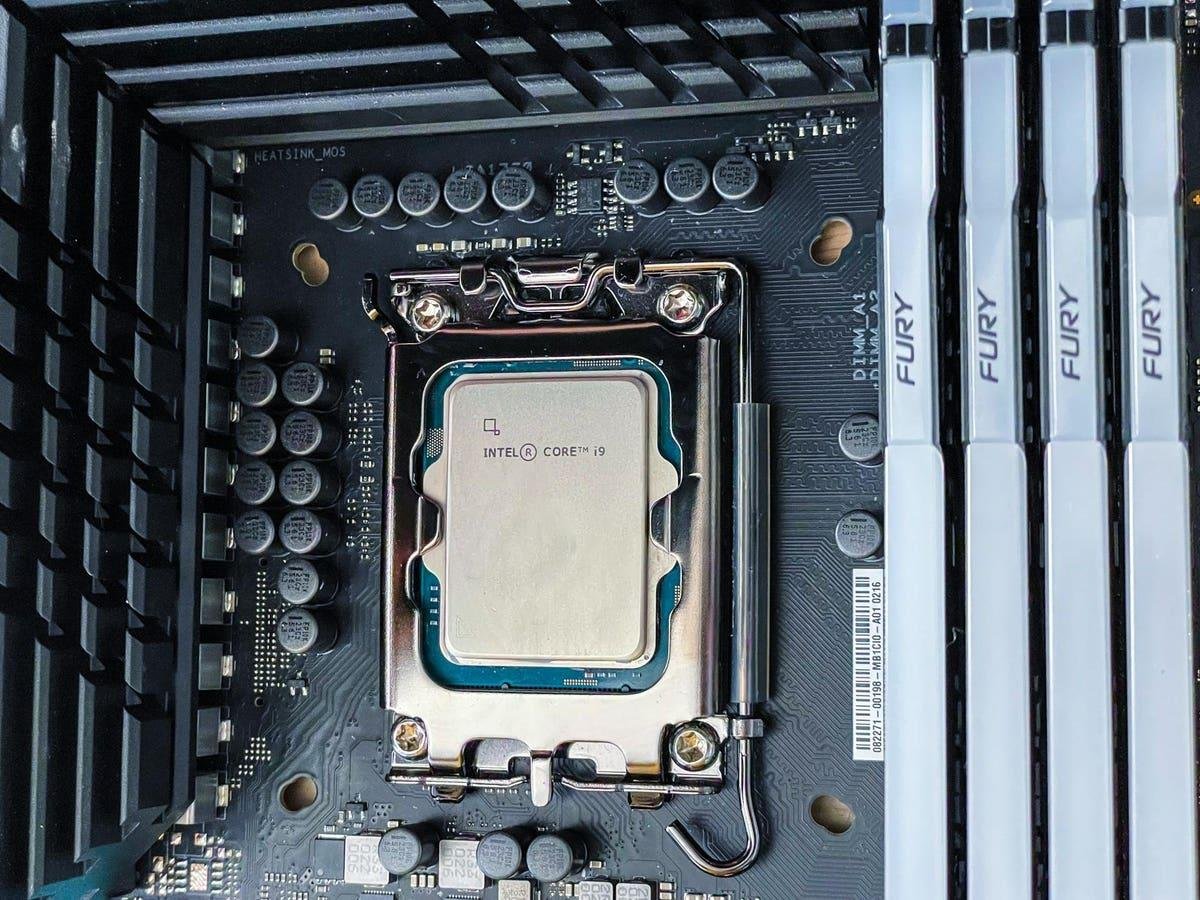
A computer needs both software and hardware to perform useful work. Hardware provides the physical resources, while software gives those resources instructions.
How Does Software Work? A Step-by-Step Explanation
Software works by receiving an instruction, processing it through program logic, communicating with the operating system when necessary, and producing an output. These operations happen extremely quickly, often in fractions of a second.
Here is a simplified explanation of the process.
1. A User Provides Input
The process usually begins when someone interacts with a device. Input can come from clicking a mouse, pressing a keyboard key, touching a screen, speaking into a microphone, or submitting information through a form.
For example, when you click the Save button in a document editor, you are telling the application to store your work.
2. The Software Receives the Instruction
The application detects the action and identifies what needs to happen next. Its code contains rules that determine how it should respond to different user actions.
A calculator app, for instance, recognizes the numbers and mathematical operation you enter before preparing the calculation.
3. The Program Processes the Information
The software follows instructions and algorithms to process the input. An algorithm is a logical sequence of steps designed to solve a particular problem or complete a task.
The processor executes the program’s instructions, while memory holds the information and data needed during the process.
4. The Operating System Coordinates the Work
The application often relies on the operating system to access hardware and other system resources.
The operating system manages processes, memory, files, and connected devices. It provides standard ways for applications to request services without needing to control every hardware component directly.
For example, when an application needs to save a file, it can request a file operation through the operating system.
5. The Hardware Performs the Required Operations
The CPU executes instructions, RAM temporarily stores active data, and storage devices keep files and programs for future use. Other components, such as a graphics processor or network adapter, may also contribute.
The exact hardware involved depends on the task. Playing a video, for example, may use the CPU, graphics hardware, memory, storage, and audio components.
6. The Software Produces an Output
After processing is complete, the program presents the result. This could be a calculation, a saved document, a displayed image, a notification, or information received from an online service.
This input-processing-output cycle is a useful way to understand how many software applications work.
How Does Software Work With Computer Hardware?
Software and hardware communicate through several layers rather than every application controlling physical components directly.
The operating system acts as an important coordinator. Device drivers help the operating system communicate with particular hardware devices, such as printers, graphics cards, and network adapters.
For example, when you print a document:
- You select Print in the application.
- The application prepares the document and requests a printing operation.
- The operating system manages the print request.
- The appropriate printer driver helps translate the request into instructions the printer can use.
- The printer receives the data and produces the physical document.
This relationship allows applications to work with many different devices through standard operating-system services and compatible drivers.
How Does Software Work Through Programming Languages?
Programming languages allow developers to write instructions that describe how software should behave. Instead of manually giving a computer every individual command, developers create code that defines actions, decisions, calculations, and responses.
Common programming languages include:
- Python: Used in automation, data analysis, artificial intelligence, and general-purpose development.
- JavaScript: Commonly used to create interactive websites and web applications.
- Java: Used in enterprise applications, backend systems, and Android development.
- C and C++: Often used where performance, hardware control, or system-level programming matters.
- C#: Used in business applications, desktop software, and game development.
The language a development team chooses depends on the project’s requirements, performance needs, platform, and available expertise.

How Does Source Code Become Instructions a Computer Can Execute?
Source code is the human-readable form of a program. Computers ultimately execute lower-level instructions, so software development tools transform or process source code into a form the system can run.
Two common approaches are:
- Compilation: A compiler translates source code into another form, often machine code or an intermediate representation, before execution.
- Interpretation: An interpreter executes program instructions through a runtime environment. Some languages and runtimes combine interpretation, compilation, and other techniques.
The details vary by programming language and platform. The important point is that programming tools help turn developers’ instructions into operations a computer can perform.
What Are the Main Types of Software?
Software is commonly grouped by the job it performs. Understanding these categories makes it easier to identify what different programs do and why computers need them.
1. System Software
System software manages the computer’s core operations and provides a platform for other programs.
Examples include:
- Windows
- macOS
- Linux
- Android
- iOS
An operating system manages resources such as memory, files, processes, and connected hardware. It also provides the environment in which applications run.
2. Application Software
Application software helps users complete specific tasks. It is often the software people interact with most frequently.
Examples include:
- Google Chrome for browsing websites
- Microsoft Word for creating documents
- Adobe Photoshop for image editing
- Spreadsheet applications for working with data
- Video conferencing apps for online meetings
Applications rely on system software and hardware to perform their functions.
3. Utility Software
Utility software helps maintain, protect, and manage a computer.
Examples include:
- Antivirus and security tools
- Backup applications
- File compression programs
- Disk management tools
- System monitoring utilities
These programs can help users maintain system performance, protect information, and manage storage.
4. Programming Software
Programming software provides tools developers use to create, test, and maintain other programs.
Examples include:
- Code editors
- Integrated development environments (IDEs)
- Compilers
- Interpreters
- Debuggers
- Version-control tools
These tools support the software development process, from writing code to finding and fixing errors.
What Is the Difference Between Software and Hardware?
Software and hardware work together, but they serve different purposes. Hardware refers to the physical parts of a computer, while software consists of the programs and instructions that tell those parts what to do.
| Feature | Software | Hardware |
|---|---|---|
| Meaning | Programs and instructions | Physical computer components |
| Physical form | Digital | Physical and touchable |
| Examples | Windows, Chrome, Word | CPU, RAM, keyboard, monitor |
| Main role | Directs and coordinates tasks | Performs physical operations |
| Maintenance | Updates, patches, configuration | Repairs, cleaning, replacement |
| Dependency | Needs compatible hardware to run | Needs software to perform useful tasks |
For example, a keyboard is hardware because it is a physical device. The operating system and application that interpret your keystrokes are software.
Neither works effectively in isolation. A functioning computer depends on both.
How Does Software Work in Real Life? Three Simple Examples
Technical explanations become easier to understand when connected to everyday activities.
Example 1: Opening a Mobile App
When you tap an app icon, the operating system identifies the application and starts its process. The program’s required instructions and resources are loaded into memory. The CPU executes the instructions, and the app displays its interface on the screen.
If the app needs information from the internet, it may also communicate with a remote server.
Example 2: Saving a Document
When you select Save, the application prepares the document data and requests a storage operation. The operating system manages access to the file system and storage device. Once the operation succeeds, the application can confirm that your work has been saved.
This is why a storage problem or a lack of available disk space can sometimes prevent a document from saving.
Example 3: Loading a Website
When you enter a website address, your browser needs to locate the website’s server and request its resources. DNS helps translate the domain name into an IP address. The browser then communicates with the server using web protocols such as HTTP or HTTPS.
The server sends a response, and the browser processes the returned HTML, CSS, JavaScript, images, and other resources to display the page.
This is one example of how software running on different computers works together over a network.
How Is Software Created?
Software development is a structured process that turns an idea or user need into a working program. This process is often called the Software Development Life Cycle (SDLC).
1. Planning and Requirements
The team identifies the problem, intended users, required features, budget, and technical constraints. Clear requirements help prevent misunderstandings during development.
2. Design
Developers and designers plan how the software will work and how users will interact with it. This may include system architecture, database design, user journeys, and interface prototypes.
3. Development and Coding
Programmers write the source code and connect the different components. They may use frameworks, libraries, databases, APIs, and development tools to build the required functionality.
4. Testing
The team checks whether the software works as expected. Testing can reveal incorrect results, broken features, compatibility problems, performance issues, and security weaknesses.
5. Debugging
When an error is identified, developers investigate its cause and make corrections. A software bug is a flaw that causes a program to behave in an unintended way.
6. Deployment
After the software is prepared for release, it is deployed to its intended environment. This might mean publishing a mobile app, installing a desktop program, or making a web application available online.
7. Updates and Maintenance
Software needs ongoing attention after release. Developers may fix bugs, improve performance, strengthen security, update dependencies, and add features based on user needs.
How Does Software Work in Web Applications and Cloud Computing?
Not all software runs entirely on the device you are using. Many modern applications combine local software with services running on remote servers.
A web application usually involves two major parts:
- Client: The browser or application that users interact with.
- Server: A computer or service that processes requests, runs application logic, or provides data.
When you sign in to an online service, for example, your browser sends a request to the service. The server processes the request, checks the relevant information, and returns a response. Your browser then displays the result.
Cloud-based software uses remote computing resources to provide services over a network. This can make it easier for users to access information from multiple devices and for organizations to scale services as their needs change.
However, cloud software may depend on a reliable internet connection, suitable account permissions, and the provider’s availability.

Why Do Software Programs Need Updates?
Software updates help keep applications useful, compatible, and secure. An update may correct a bug, address a security weakness, improve performance, or introduce a new feature.
Ignoring updates can leave a program exposed to known security problems or cause compatibility issues with newer devices and services.
For safer software use:
- Install updates from trusted sources.
- Enable automatic updates when appropriate.
- Remove applications you no longer use.
- Review permissions requested by apps.
- Back up important information before major system changes.
Common Software Problems and How to Solve Them
Software does not always behave as expected. The cause may be an application bug, outdated software, insufficient resources, a damaged file, or a problem with another component.
| Common problem | Possible cause | Practical solution |
|---|---|---|
| App keeps crashing | Software bug or compatibility issue | Restart the app, update it, and check system requirements |
| Program runs slowly | High memory or CPU usage | Close unnecessary apps and check resource usage |
| Installation fails | Insufficient storage or incompatible version | Check available space and download the correct version |
| App cannot connect online | Network or server issue | Check the connection and service status |
| Files will not save | Storage, permission, or file-system issue | Check available space and folder permissions |
| Unexpected error messages | Bug or corrupted application files | Record the error, update or repair the app, and contact support if needed |
Avoid downloading unofficial patches or unknown repair tools. They can introduce malware or make an existing problem worse.
Is Software Safe to Use?
Software can be safe when it is developed, distributed, installed, and maintained responsibly. However, poorly secured or outdated programs may contain vulnerabilities that attackers can exploit.
Users and organizations can reduce risk by following a few practical habits:
- Download programs from official websites or trusted app stores.
- Keep operating systems and applications updated.
- Use strong, unique passwords and multifactor authentication where available.
- Review app permissions before granting access.
- Back up important files regularly.
- Remove software that is no longer supported or needed.
For developers and organizations, security should be considered throughout the software development lifecycle rather than added only after a product is released. The NIST Secure Software Development Framework provides guidance on integrating security practices into software development.
How Is Artificial Intelligence Changing the Way Software Works?
Artificial intelligence is changing how software processes information and responds to users. Traditional programs often follow explicitly defined rules, while AI-enabled applications can also use trained models to recognize patterns, generate content, make predictions, or support decisions.
Examples include:
- Virtual assistants that understand natural-language requests.
- Recommendation systems that suggest relevant products or content.
- Software that helps identify unusual activity in data.
- AI tools that assist developers with code explanations and suggestions.
- Business applications that automate repetitive tasks.
AI does not replace the need for reliable software engineering. AI-enabled systems still need testing, monitoring, security controls, human oversight, and clear limits on how their outputs are used.
Frequently Asked Questions About How Software Works
How does software work in simple terms?
Software works by following instructions written in code. It receives input, processes information, uses operating-system and hardware resources, and produces an output such as a calculation, document, image, or message.
How does software communicate with hardware?
Software usually communicates with hardware through the operating system and device drivers. These layers help applications request services from components such as the CPU, storage devices, printers, and graphics hardware.
Does software need hardware to work?
Yes. Software needs a compatible device or computing environment to execute its instructions. Hardware provides the processor, memory, storage, and other resources required to run programs.
What are the four main types of software?
Four commonly discussed categories are system software, application software, utility software, and programming software. Each category supports a different part of a computer’s operation or software development.
What is the difference between source code and machine code?
Source code is written by developers in programming languages. Machine code consists of low-level instructions that a processor can execute. Compilers and other language tools help transform or process source code into executable instructions.
What is the role of an operating system in software?
An operating system manages hardware resources, memory, files, processes, and connected devices. It also provides services that applications use to perform tasks.
How does software work without an internet connection?
Many programs run locally on a device and do not need internet access for their core functions. Other applications rely on online servers, cloud storage, or network services, so some features may stop working when the connection is unavailable.
Why does software sometimes crash?
Software may crash because of bugs, incompatible versions, damaged files, insufficient memory, hardware problems, or unexpected input. Updating the program and checking system requirements are useful first steps.
How is software different from an application?
Software is the broad term for programs and instructions used by a computer. An application is one type of software designed to help users perform specific tasks.
Why are software updates important?
Updates can fix bugs, improve performance, address security vulnerabilities, and maintain compatibility with newer systems and services.
How does cloud software work?
Cloud software uses remote servers and network connections to provide applications, storage, or computing services. Users access these services through a browser or application rather than relying only on programs installed locally.
Can software work without an operating system?
Some specialized software can run directly on hardware or within a minimal runtime environment. However, most everyday desktop and mobile applications rely on an operating system to manage resources and provide common services.
Final Thoughts
Software works by turning instructions into useful actions. It receives input, processes information through code, communicates with operating systems and hardware, and delivers results that people can use. From simple calculators to cloud platforms and AI-powered applications, the same basic idea connects much of the digital technology we use every day.
Understanding how software works can help you troubleshoot common issues, choose programs more confidently, and appreciate the systems behind modern computers. Whether you are a student, everyday user, or business professional, learning these fundamentals is a useful step toward becoming more confident with technology.